4. How Postflows Works with Klaviyo and Omnisend
Postflows does not send emails directly. Instead, it detects shipping events and forwards them to your email platform - Klaviyo or Omnisend - which then triggers and sends the notification to your customer. This article explains exactly what Postflows sends, how it appears in your email platform, and what data you have available for personalization.
The role of each tool
Your email templates, send timing, audience logic, and branding all live in your email platform. Postflows only delivers the trigger and the data.
How events appear in Klaviyo
When Postflows sends an event to Klaviyo, it creates a metric with the following naming pattern:
Postflows - {Event Name}
Examples:
Postflows - 1. Order CreatedPostflows - 2. Shipment In TransitPostflows - 3. Out for DeliveryPostflows - 4. Shipment DeliveredPostflows - 5. Label CreatedPostflows - 6. Shipment ExceptionPostflows - 7. Delivery Attempt FailedPostflows - 8. Ready for Pickup
You use these metrics as triggers when building flows in Klaviyo.
How events appear in Omnisend
For Omnisend, events follow this naming pattern:
Postflows V1 - {Event Name}
Examples:
Postflows V1 - 4. Shipment DeliveredPostflows V1 - 6. Shipment Exception
You use these as custom event triggers in Omnisend automations.
Data available for personalization
Every event Postflows sends includes the following data, available as variables in your email templates:
Order details
Order ID and order number (e.g.
#1001)Order total and currency
Customer details
First name, last name
Email address
Phone number
Shipping address
Full address including city, province, country, and zip code
Line items
Product name, SKU, quantity, price
Product image URL
Variant details
Tracking details
Carrier name
Tracking number
Tracking URL (links to carrier tracking page)
Estimated delivery date (when available from the carrier)
Test events
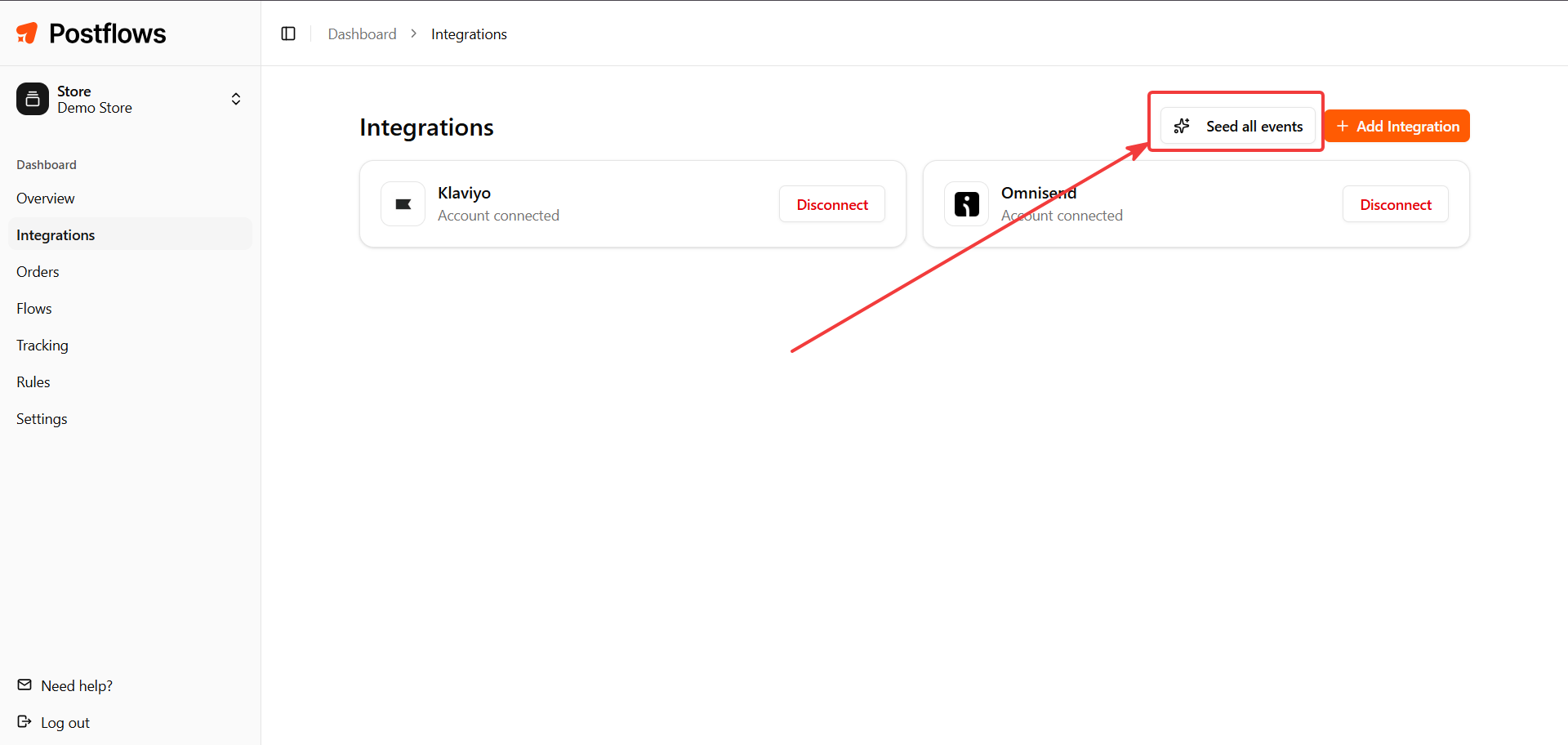
After connecting Klaviyo or Omnisend, Postflows automatically sends a test event for each of the 8 event types. This lets you build and preview your flows in your email platform right away, without waiting for real orders.
You can resend test events at any time from Dashboard > Integrations using the Seed All Events button.
Connecting your email platform
If you haven't connected Klaviyo or Omnisend yet, see the onboarding guide: Setting Up Postflows.
Related articles
Was this helpful?
Still need help? Share an idea